ඔයා YouTube, Facebook හෝ TikTok වලට video edit කරනවා නම්, Sinhala subtitles Premiere Pro එකේ දාන එක ඔයාගේ views වලට ලොකු වෙනසක් කරනවා. In this guide, I explain three easy methods step by step: manual captions, SRT import, and auto-generated Sinhala captions. ඒ වගේම Sinhala font කොටු (boxes) වෙන ප්රශ්නය fix කරන හැටිත් අපි බලමු.
Why Sinhala subtitles matter in 2026
Most people watch Reels and Facebook videos with the sound off. Bus එකේ, office එකේ, රෑට ඇඳේ – sound නැතුව තමයි ගොඩක් අය video බලන්නේ. So, if your video has no text, viewers simply scroll past.
- More watch time: subtitles help viewers follow fast speech, so they stay longer.
- Better reach: Facebook and YouTube reward videos that people watch until the end.
- Accessibility: කන් ඇහෙන්නේ නැති අයටත්, noisy තැනක ඉන්න අයටත් ඔයාගේ content එක තේරෙනවා.
- Professional look: clean captions දැක්කම channel එක serious brand එකක් වගේ පේනවා.
Because of this, learning Sinhala subtitles in Premiere Pro is one of the best skills a Sri Lankan creator can have.
Before you start: install a Sinhala Unicode font
First, check your fonts. Premiere Pro needs a Unicode Sinhala font. පරණ FM fonts (උදා: FM Abhaya) Unicode නෙවෙයි. ඒ නිසා Unicode text එකක් FM font එකකට දැම්මොත් අකුරු වැරදියට හෝ කොටු විදිහට පේනවා.
- Windows: Iskoola Pota is already installed.
- Mac: Sinhala Sangam MN comes with macOS.
- Free modern option: Noto Sans Sinhala from Google Fonts – Reels වලට ගොඩක් ලස්සනයි.
Font එක install කළාට පස්සේ Premiere Pro restart කරන්න. Otherwise, the new font may not appear in the font list.
Method 1: Add Sinhala subtitles in Premiere Pro manually
This is the basic method. It works in every version, but it is slow for long videos.
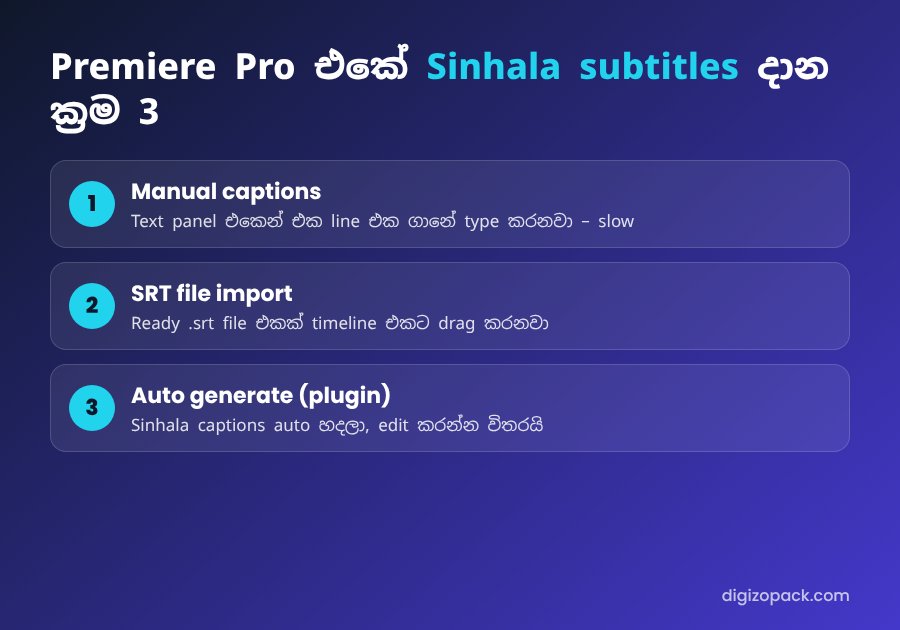
- Open your sequence. Then go to Window → Text and open the Captions tab.
- Click Create new caption track. For social media, choose the Subtitle format.
- Playhead එක පළවෙනි වචනය කියන තැනට ගෙනියන්න. Then click the + button to add a caption segment.
- Sinhala line එක type කරන්න (Sinhala Unicode keyboard එක on කරලා).
- Select the caption track and open the Essential Graphics panel. There, change the font to your Sinhala Unicode font.
Tip: create a Track Style after you style the first caption. Then every new caption uses the same font, size and colour automatically.
Method 2: Import a Sinhala SRT file
Do you already have an .srt file from a translator, or one you typed yourself? Then this method is much faster.
- Go to File → Import and choose the .srt file.
- Drag it from the Project panel onto your timeline. Premiere Pro creates a caption track for you.
- Finally, apply your Sinhala font and Track Style.
Important: save the SRT file as UTF-8. Notepad එකේ Save As දාලා Encoding එක UTF-8 කියලා තෝරන්න. Otherwise, the Sinhala letters break and you see strange symbols.
Method 3: Auto-generate Sinhala subtitles in Premiere Pro
Premiere Pro has a built-in Speech to Text feature. However, it works best with major languages, and Sinhala support may be limited depending on your version. ඒ නිසා ගොඩක් Sri Lankan editors තවමත් පැය ගානක් captions type කරනවා.
The faster way is a dedicated plugin. our Sinhala subtitle plugin generates Sinhala captions directly inside Premiere Pro. So, instead of typing everything, you only check the lines and fix a few names or slang words.
- Install the extension and open it from Window → Extensions.
- Select your sequence and generate the Sinhala subtitles.
- Review the text. නම්, ඉංග්රීසි වචන, slang වගේ දේවල් check කරන්න.
- Apply your Track Style and export.
For daily uploaders, this is the biggest time saver. For example, a 10-minute video can take more than an hour to caption by hand.
Fix: Sinhala font shows boxes in Premiere Pro
This is the most common Sinhala subtitle problem. Here are the usual causes and fixes:
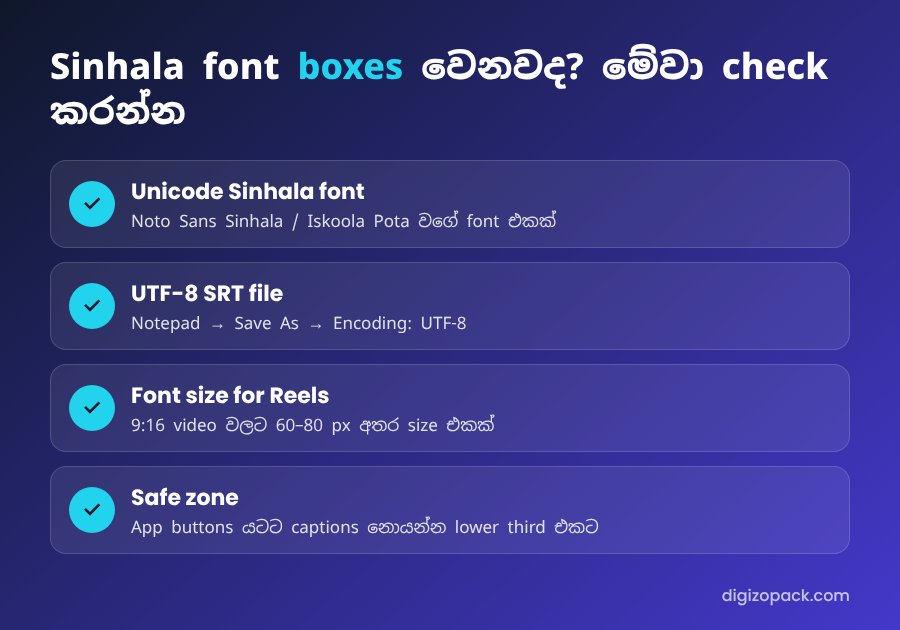
- Wrong font: the font has no Sinhala characters. Switch to Iskoola Pota, Noto Sans Sinhala or Sinhala Sangam MN.
- FM font with Unicode text: FM fonts and Unicode don’t mix. Use a Unicode font.
- Wrong SRT encoding: re-save the file as UTF-8 and import it again.
- Broken vowel signs: some decorative fonts don’t support every combination (උදා: ක්ෂ, ශ්රී). Test with a full sentence before you style the whole video.
Style tips for Sinhala subtitles in Premiere Pro
Good styling makes your Sinhala subtitles in Premiere Pro easy to read on a small phone screen.
- Line length: line එකකට අකුරු 35–40ක් වගේ, lines 2කට වඩා එපා.
- Size: vertical (9:16) videos වලට 60–80 px අතර size එකක් හොඳයි.
- Contrast: use white text with a black stroke or a soft shadow. Then it is readable on any background.
- Safe zone: keep captions above the app buttons and the description area.
- Consistency: use one font and one colour on every video. As a result, people recognise your brand.
Export Sinhala subtitles for YouTube
YouTube වලට captions දෙවිදිහකට දෙන්න පුළුවන්:
- Burn-in captions: the text is part of the video. This is best for Reels, TikTok and Shorts.
- Sidecar SRT file: in the Export settings, open Captions and choose Create Sidecar File in SRT format. Then upload it in YouTube Studio. You can read how in YouTube’s subtitles help page.
A sidecar file is useful because viewers can turn captions on or off. Also, the text helps search engines understand your video.
Manual vs plugin: which method should you choose?
- Short video, once a month: manual captions are fine.
- You already have a script or SRT: import it (Method 2).
- You upload every week or every day: an auto Sinhala subtitles plugin saves the most time.
For more on the caption tools, see the official Premiere Pro user guide.
FAQ: Sinhala subtitles Premiere Pro
Premiere Pro එකේ Sinhala type කරන්න පුළුවන්ද?
Yes. Turn on a Sinhala Unicode keyboard in Windows or macOS, and use a Unicode Sinhala font in the caption style.
Why are my Sinhala letters broken or in boxes?
Usually the font has no Sinhala support, or the SRT file is not UTF-8. Change the font and re-save the file as UTF-8.
Can I add Sinhala subtitles in Premiere Pro automatically?
Yes, with a plugin such as our Sinhala subtitle plugin. It creates the captions, and you only review them.
Which font is best for Sinhala subtitles?
Noto Sans Sinhala is clean and free. Iskoola Pota is safe on Windows. For bold Reels captions, choose a heavy weight with a stroke.
Start adding Sinhala subtitles today
Sinhala subtitles Premiere Pro එකේ දාන එක දැන් අමාරු දෙයක් නෙවෙයි. Start with the method that fits your workflow. If you post often, try the plugin and spend your time on creative editing instead of typing.
👉 Get the Sinhala subtitle plugin – Premiere Pro එක ඇතුළෙම Sinhala captions ඉක්මනින්.
Also read: how to edit a video podcast faster in Premiere Pro.